Tags
Application tags control which users can access your application. When you configure tags on an application, only users whose tags match at least one of the application's tags can sign in. Admin and global admin users bypass this restriction entirely.
For example, if your dev_app application has tags dev and staging, users need either the dev tag or the staging tag to access it. Users can have multiple tags separated by commas, like "dev,qa,staging". When a user has multiple tags, Casdoor checks each one individually—if any tag matches the application's tags, authentication succeeds.
Casdoor uses specific tag values for special user types. The guest-user tag identifies temporary users created through guest authentication. These users automatically upgrade to normal-user when they set credentials. See Guest Authentication for details.
Working with Multiple Tags
Users often need access to multiple applications or environments. Instead of creating separate user accounts, you can assign multiple tags to a single user by separating them with commas.
Consider a user who needs access to both development and staging environments. Set their tag field to "dev,staging". When this user tries to sign in to your development application (which has the dev tag), Casdoor splits their tags and finds that dev matches. The same user can also access your staging application (tagged with staging) without any additional configuration.
This approach works seamlessly with existing single-tag users. A user with just "prod" as their tag continues to work exactly as before, while users with comma-separated tags like "prod,monitoring" gain access to both production and monitoring applications.
Configuration
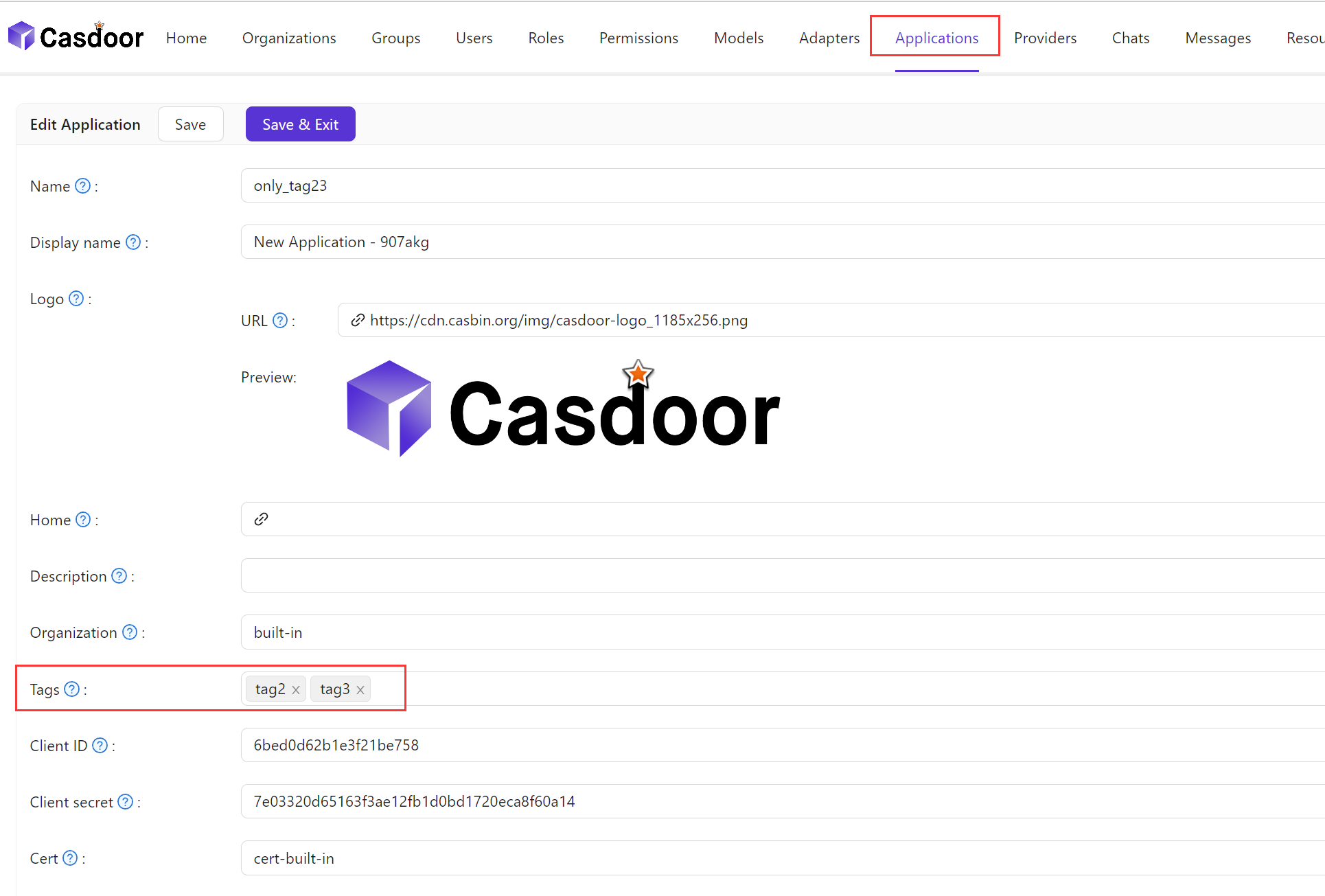
On the application edit page, you can find the Tags configuration section where you can add tags.
Here is a video demonstrating how application tags work: