应用程序配置
After you deploy Casdoor on your server and set up your organization, you can now configure your applications!
Let's see how to configure your application's authentication using Casdoor.
例如,我想要使用 Casnode 设置我的论坛
我创建了我的应用程序并填写了必要的配置。
选择我创建的组织,以便组织中的用户也可以使用该应用程序。

这个组织命名为 my_organization, 我从下拉菜单中选择到它。
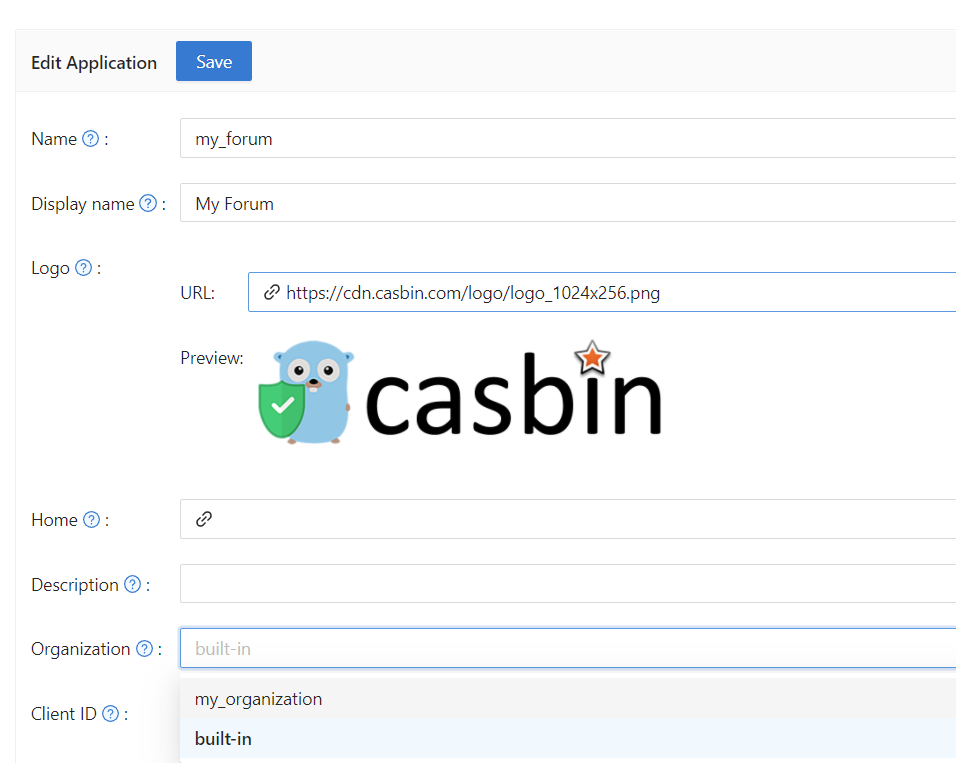
接下来,我希望我的用户在注册时能够使用 Casdoor 作为认证。 我在这里填写重定向URL作为https://your-site-url.com/callback。
:::警告
请注意,在提供商应用程序中的 callback URL 应该是Casdoor的回调 URL, 而Cassdoor 中的 Redirect URL 应该是您网站的回调 URL 。
进一步了解
为了使认证过程发挥作用,详细步骤如下:
- 用户将请求发送到Casdoor。
- Casdoor 使用
Client ID(客户端ID) 和Client Secret(客户端密钥)获取GitHub 、谷歌或其他供应商的身份验证。 - 如果认证成功,GitHub 会调用回到 Casdoor,通知 Casdoor 已成功验证。 Therefore, the GitHub authorization callback URL should be your Casdoor callback URL, which is http://your-casdoor-url.com/callback.
- 接着,Casdoor 将认证成功通知应用程序。 这意味着 Casdoor 回调 URL 应该是您的应用程序的回调 URL ,即 http://your-site-url.com/callback。
:::
Verification Code Settings
You can configure the Code resend timeout to control how long users must wait before requesting another verification code via email or SMS. Set the value in seconds (default is 60). This setting determines the countdown timer duration shown to users on the login page. A value of 0 will use the global default.
:::提示
如果您想对应用程序的登录方式进行更个性化的配置,例如禁用某种登录方式或关闭某种登录方式,您可以参考登录方式
:::